
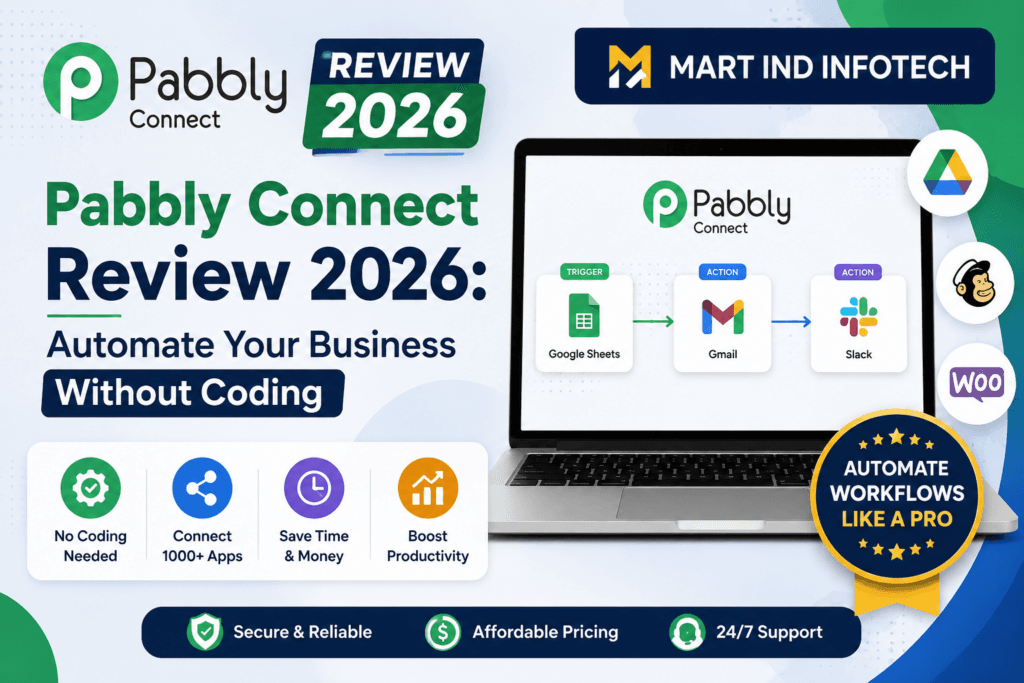
Pabbly Connect Review 2026: Automate Your Business Without Coding
This Pabbly Connect review examines the platform’s features, current pricing options, lifetime plans, integrations, real-world use cases and limitations before you buy.
A practical, honest look at Pabbly Connect—its best features, real-world automation ideas, task-counting model, advantages, limitations, pricing choices and the businesses that can benefit most.
Every growing business eventually runs into the same invisible problem: its software tools stop working as one system. Leads arrive through Facebook Lead Ads and website forms, customer information sits in spreadsheets and CRMs, payments are recorded in another platform, and follow-ups depend on somebody remembering to send a message. The tools may be good individually, but the gaps between them create repetitive work, delays and avoidable mistakes.
Pabbly Connect is designed to close those gaps. It allows different applications to exchange data and perform actions automatically. A new lead can be added to a CRM, copied to Google Sheets, assigned to a salesperson and sent a confirmation message—without a team member repeating the same steps for every enquiry.
This does not mean automation becomes completely effortless or that software replaces sound business processes. You still need to decide what should happen, connect the relevant accounts, map the data correctly and test the workflow. But once a reliable workflow is active, Pabbly Connect can handle a large amount of predictable, rule-based work in the background.
Explore Pabbly Connect
What Is Pabbly?
Pabbly is a family of business software products covering workflow automation, payments and subscriptions, forms, email marketing, WhatsApp communication and webhook handling. Its current product family includes tools such as Pabbly Connect, Pabbly Subscription Billing, Pabbly Email Marketing, Pabbly Form Builder, Pabbly Chatflow and Pabbly Hook. Pabbly Plus is the bundled option intended for businesses that want access to several Pabbly applications under one plan.
The most broadly useful product in that family—and the focus of this review—is Pabbly Connect. While the other products perform specific business functions, Connect acts as the automation layer that moves information between your tools.
What Is Pabbly Connect?
Pabbly Connect is a no-code workflow automation platform. You build a workflow by choosing an event that starts the process, called a trigger, and one or more steps that should happen next, called actions.
For example:
- Trigger: A prospect submits a Facebook lead form.
- Action 1: Format the prospect’s phone number.
- Action 2: add the lead to Google Sheets.
- Action 3: create or update the contact in a CRM.
- Action 4: send the lead to an approved WhatsApp provider or email platform.
- Action 5: notify the assigned salesperson.
After the workflow has been tested and enabled, every qualifying lead can pass through the same process automatically. This improves response speed and data consistency while reducing copy-and-paste work.
Pabbly’s current product page advertises more than 2,000 integrations. It also provides API and webhook modules for connecting services that may not have the exact ready-made action you need. Integration depth varies from app to app, so checking your required triggers and actions before purchasing is an important first step.
Check whether Pabbly Connect fits your automation stack.
How Pabbly Connect Works
1. Select the trigger
The trigger is the event Pabbly Connect watches for. It could be a new form response, ecommerce order, payment, spreadsheet row, CRM contact, booked appointment or an incoming webhook.
2. Capture a test response
Pabbly Connect retrieves sample data from the trigger application. These sample fields—such as name, email, phone number, product and payment status—become available for mapping into later steps.
3. Add and map actions
You select what another application should do and map the trigger data into its required fields. A customer’s email from the first step, for example, can be mapped into the email field in your CRM.
4. Add business rules
Filters can stop a workflow when conditions are not met. Routers can send different records down different paths. Formatters can clean names, numbers, dates and text. Delays can hold a follow-up until a chosen time.
5. Test every route and switch the workflow on
A successful test should confirm not only that each step runs, but also that the right data reaches the right field. Once enabled, the workflow processes future events according to the rules you defined.
The Best Pabbly Connect Features
1. A large integration catalogue
With more than 2,000 integrations promoted on its current product page, Pabbly Connect covers many common categories: CRM, ecommerce, payment gateways, web forms, email marketing, spreadsheets, cloud storage, calendars, advertising and collaboration. Examples shown by Pabbly include Facebook Lead Ads, WooCommerce, Google Forms, Calendly, Razorpay, Gmail, Google Sheets, Google Drive, Mailchimp and HubSpot.
2. Multi-step workflows
Real business processes rarely stop after moving data from one app to another. Paid options can support multi-step workflows that validate, transform, route and distribute information across several applications. This makes Pabbly Connect suitable for more than simple two-app syncing.
3. Instant webhooks
Webhook triggers can receive data as soon as another platform sends it. This is especially useful for lead response, payment confirmation, order processing and chatbot workflows where a long polling delay could hurt the customer experience.
4. Filters and path routers
A filter allows a workflow to continue only when specified conditions are true. A router creates branches. For example, a high-value sales lead can be assigned to a senior representative, while a sample request enters an automated nurture sequence.
5. Formatters and data-processing tools
Incoming data is often inconsistent. Phone numbers may contain country prefixes, dates may use different formats and names may arrive in a single field. Pabbly provides internal tools for text, numbers, dates, currency, JSON, calculations and other transformations. According to Pabbly, many triggers and internal processing steps do not consume tasks under its task-based plans, which can make a meaningful difference in high-volume workflows.
6. Scheduling, delays and iterators
Scheduling starts a workflow at a defined time or interval. A delay pauses it until a later time. An iterator separates a collection of items and processes them individually. Together, these features support reminders, timed follow-ups, recurring reports and batch-style operations.
7. Email Parser, API and custom code
The Email Parser can extract structured data from incoming messages. API modules can connect to services with accessible APIs. For advanced requirements, Pabbly’s current feature list also includes custom JavaScript and Python modules. These options extend the platform beyond its prebuilt integrations, although custom API and code workflows require technical knowledge and careful testing.
8. AI-assisted and human-approved workflows
Pabbly currently lists an AI Assistant for working with intelligent assistants and custom knowledge inside workflows. It also lists a Human in Loop feature that can pause an automation until a person approves, rejects or edits the data. This is valuable when AI drafts content or classifies a lead but a human should retain final control.
9. Workflow management and recovery tools
Depending on the plan, features can include team access, shared folders, custom variables, two-factor authentication, workflow re-execution and automatic retries for failed or skipped steps. These operational features become increasingly important as automation moves from convenience to critical infrastructure.
View Pabbly Connect Options
Best Pabbly Connect Use Cases
| Business area | Example automation | Potential benefit |
|---|---|---|
| Lead generation | Facebook Lead Ads → formatter → CRM → Google Sheets → sales alert | Faster contact and fewer lost leads |
| Ecommerce | New order → invoice or record → fulfilment update → customer message | Consistent order processing |
| Payments | Successful payment → update customer status → grant access → send receipt | Quicker delivery and cleaner records |
| Education | Course purchase → enrolment record → learning-access email → support notification | Less manual administration |
| Appointments | Booking → calendar entry → CRM update → reminder sequence | Reduced response time and no-shows |
| Marketing | New subscriber → tag by source → add to the correct campaign → notify team | Better segmentation |
| Agencies | Client form → create task → folder → team notification → status sheet | Repeatable client onboarding |
| Reporting | Scheduled trigger → collect data → update sheet → email daily summary | Less repetitive reporting work |
A practical lead-management blueprint
Consider a coaching institute, service provider or local business running Meta ads. Without automation, staff may download leads, clean phone numbers, copy records into a master sheet, send a welcome message and assign each prospect manually. With Pabbly Connect, the process could be designed like this:
- Capture a new lead from the ad platform.
- Standardise the phone number and remove unwanted characters.
- Create or update the prospect in the master database.
- Check whether the person already exists to avoid duplicates.
- Route the lead by product, location, value or level of interest.
- Send a compliant welcome message through the connected communication provider.
- Create a callback for the appropriate salesperson.
- Notify a manager if a high-intent lead requests payment information.
- Record the outcome for reporting and future follow-up.
This workflow still depends on correct permissions, valid API connections and the messaging platform’s rules. Pabbly Connect is the orchestration layer; it does not remove the need for third-party accounts, message-template approvals, consent or sensible data governance.
How Does Pabbly Connect Count Tasks?
This is one of the most important concepts to understand before choosing a plan. Under Pabbly’s task-based model, an action performed in an external application generally counts as a task. The trigger and many internal operations—such as filters, routers and formatters—are described by Pabbly as free internal tasks.
Suppose one new lead triggers a workflow that:
- formats a phone number internally;
- adds the lead to a CRM; and
- adds the same lead to Google Sheets.
The formatter may not consume a task, while the two external actions may count as two tasks. If a router sends the record through additional external apps, those actions can add to the total. Pabbly also promotes unlimited-task options, for which the applicable fair-usage terms and plan conditions should be checked on the live offer page.
Pabbly Connect vs. Other Automation Approaches
| Factor | Pabbly Connect | Manual work | Other hosted automation tools |
|---|---|---|---|
| Setup | Visual no-code builder with optional API/code modules | Little technical setup, but repeated labour | Usually visual builders; complexity varies |
| Scale | Automations can process recurring events automatically | Requires more staff time as volume grows | Automated, often with usage-based limits |
| Pricing model | Free, recurring and sometimes one-time/unlimited options; terms vary | Ongoing salary and opportunity cost | Commonly priced by tasks, operations or feature tiers |
| Internal steps | Many triggers and internal tools are promoted as non-billable on task plans | Every step consumes staff time | Counting policies vary by provider |
| Integrations | 2,000+ promoted; custom API options available | People can work around missing integrations | Some competitors offer larger catalogues or deeper support for specific apps |
| Control | Filters, routers, delays, code and human approval | High human judgement, lower consistency | Comparable advanced tools may depend on plan |
| Maintenance | Cloud service; workflows still need monitoring | Training and supervision required | Cloud service; workflows still need monitoring |
No automation platform wins every comparison. One competitor may offer a particular app or enterprise control that Pabbly does not; another may have a workflow interface your technical team prefers. Pabbly Connect is most compelling when its required integrations are supported and its plan economics match your expected volume.
Pabbly Connect Pros and Cons
Advantages
- Broad integration coverage: More than 2,000 integrations are currently promoted.
- No-code accessibility: Many standard workflows can be built without programming.
- Advanced logic: Filters, routers, delays, schedules, iterators and human approval support real operational processes.
- Useful internal tools: Formatters and data tools reduce the need for extra software or code.
- Potentially favourable task economics: Many triggers and internal steps are not counted under task-based plans.
- Multiple purchasing models: The company currently promotes recurring plans as well as limited-time one-time options.
- Room to grow: API, webhook and code modules extend what can be automated.
- Learning resources: Pabbly promotes a large library of video tutorials.
Limitations
- Every integration is different: An app may be listed but not include the exact trigger or action you need.
- Setup still takes thought: Complex workflows require planning, field mapping, error handling and testing.
- Third-party limits remain: An automation platform cannot remove another app’s API limits, fees, downtime or policy restrictions.
- Debugging has a learning curve: Failed authentication, changed fields and malformed data can take time to diagnose.
- Mission-critical workflows need supervision: Automatic retries help, but you should still monitor failures and reconcile important records.
- Offer terms can change: Prices, task allowances, lifetime deals and fair-usage conditions must be verified at checkout.
Who Should Consider Pabbly Connect?
Pabbly Connect is particularly relevant for:
- small and medium businesses that use several cloud applications;
- digital marketers managing leads, campaigns and reporting;
- agencies that repeat similar onboarding or fulfilment processes;
- ecommerce businesses coordinating orders, customers and notifications;
- coaches, educators and course creators automating enrolment and access;
- sales teams that need faster lead distribution and cleaner CRM data;
- founders trying to reduce administrative work before hiring more staff; and
- technical users who want no-code speed with optional API and code flexibility.
It may be a poor fit if your essential applications are unsupported, your workflows demand specialist enterprise governance not available in your chosen plan, or your processes change so frequently that maintaining automation costs more time than it saves.
Review Pabbly Connect and confirm your required integrations.
Pabbly Connect Pricing and One-Time Plans
Pabbly’s current website displays a free entry option and paid choices that may include monthly, yearly, multi-year, unlimited-task and one-time lifetime offers. The exact combinations, prices, task allowances, team features and promotional discounts can change.
For that reason, an evergreen review should not promise a fixed price. Instead, compare the live options using these questions:
- How many active workflows will you need?
- How many external action tasks will run each month?
- Are team members and shared folders included in that billing period?
- Do you need priority support or automatic re-execution?
- Does an unlimited option have a fair-usage policy relevant to your volume?
- If buying a lifetime deal, what monthly task allowance is attached to it?
- Which taxes and currency-conversion charges apply to your purchase?
- What refund conditions appear on the checkout page?
Pabbly’s product page currently advertises a 30-day money-back guarantee, but buyers should read the applicable refund policy and checkout terms rather than relying only on a promotional statement.
Check the Current Pabbly Offer
How to Get Started with Pabbly Connect
- Choose one high-value process. Start with a repetitive task that has clear rules and measurable time cost.
- Draw the process first. List the trigger, required data, actions, conditions, exceptions and responsible owner.
- Confirm integration support. Check the exact trigger and action events—not only whether the app’s logo appears.
- Create a test workflow. Connect accounts and capture a dummy record containing all important fields.
- Map and transform the data. Format phone numbers, dates, names and IDs before passing them onward.
- Add duplicate prevention. Search for an existing contact or order before creating another one when appropriate.
- Build exception paths. Decide what happens if a value is blank, a payment fails or an app rejects the request.
- Test every branch. Use realistic dummy data for qualified, unqualified, duplicate and error cases.
- Launch gradually. Monitor the first live executions and compare them with source records.
- Document ownership. Record the workflow’s purpose, credentials owner, field mapping and recovery procedure.
Three rules for reliable automation
- Use a single source of truth. Decide which system owns each important field so apps do not overwrite one another with stale data.
- Design for idempotency. Where possible, a repeated event should update an existing record rather than create a duplicate.
- Keep humans at high-risk decisions. Payments, refunds, sensitive messages and AI-generated customer communication may need approval checkpoints.
Is Pabbly Plus Worth Considering?
If you need only workflow automation, evaluate Pabbly Connect as a standalone product. If you also need subscription billing, email campaigns, forms, WhatsApp automation or other Pabbly tools, compare the cost and limits of Pabbly Plus with buying individual applications.
The advantage of a suite is convenience: fewer vendors, a more unified account and possible cost savings. The trade-off is that the best tool in each individual category may come from a different provider. Choose Pabbly Plus because its included products match your actual requirements—not simply because the bundle contains more features.
Frequently Asked Questions
Is Pabbly Connect free?
Pabbly currently advertises a free plan with limited usage, allowing you to test basic workflows before purchasing. Confirm the current task and workflow limits on the live plan page.
Do I need coding skills to use Pabbly Connect?
No coding is required for many standard integrations and workflows. API modules, JavaScript, Python and complex data structures may require technical knowledge.
How many applications does Pabbly Connect support?
Pabbly’s current product page promotes more than 2,000 integrations. Always verify that your app includes the specific trigger or action your workflow needs.
Are triggers and filters counted as tasks?
Pabbly states that triggers and many internal operations—such as filters, routers and formatters—are not counted as tasks in its task-based plans. External application actions generally do count. Unlimited plans may follow different usage terms.
Does Pabbly Connect offer a lifetime deal?
Pabbly currently promotes limited-time one-time plans alongside recurring options. Availability, task allowances and conditions can change, so check the live offer before buying.
Is Pabbly Connect the same as Pabbly Plus?
No. Pabbly Connect is the workflow automation application. Pabbly Plus is a bundle that provides access to multiple Pabbly products under one plan.
Can Pabbly Connect automate WhatsApp?
It can participate in WhatsApp workflows through supported integrations, Pabbly Chatflow or API/webhook connections. You still need an eligible WhatsApp setup, user consent and compliance with Meta’s messaging and template rules.
Can Pabbly Connect replace Zapier or Make?
It can replace them for many workflows, but not automatically for every use case. Compare the exact integrations, actions, error handling, governance, interface and total cost required by your processes.
Is Pabbly Connect suitable for small businesses in India?
It can be especially useful for Indian businesses using tools such as Razorpay, Google Sheets, CRMs, forms and messaging platforms. Taxes, payment currency and support requirements should still be checked before purchasing.
Is Pabbly Connect secure?
Pabbly describes SSL-protected communication, two-factor authentication and security certifications on its website. Security also depends on your own account permissions, credential handling, connected applications and data-retention practices.
What should I automate first?
Start with a frequent, rules-based process that is easy to verify—for example, copying new leads into a CRM and notifying the sales owner. Avoid starting with a high-risk payment or customer-service process until your team understands testing and error monitoring.
Pabbly Connect Review: Final Verdict—Is It Worth It?
For many small businesses, marketers, agencies, ecommerce teams and educators, Pabbly Connect deserves serious consideration. It combines a large integration catalogue with multi-step workflows, webhooks, routing, scheduling, data formatters, optional code and human approval. Its treatment of many triggers and internal tools as free steps—and the availability of recurring, unlimited or one-time offers—can make it economically attractive for the right workload.
Its value depends on three things: whether it supports your exact app actions, whether you design the workflow correctly, and whether the selected plan fits your real number of external actions. Test those points before migrating an important process.
If your team repeatedly copies information between apps, follows the same checklist for every lead or order, or loses time because systems do not communicate, Pabbly Connect could convert that fragmented work into a consistent automated process.
Try Pabbly Connect
Prices, plan limits and promotional availability may change. Review the live checkout terms before purchasing.
Mart Ind Infotech
A New Way To Redefine your business